 ReviewHero
Google review app for small business
More Google reviews,
without nagging anyone.
ReviewHero asks every customer for a review once, follows up politely if they forget, and stops the moment they open your link. Set it up from your phone in a few minutes.
Free to download · free trial · cancel any time from your app store
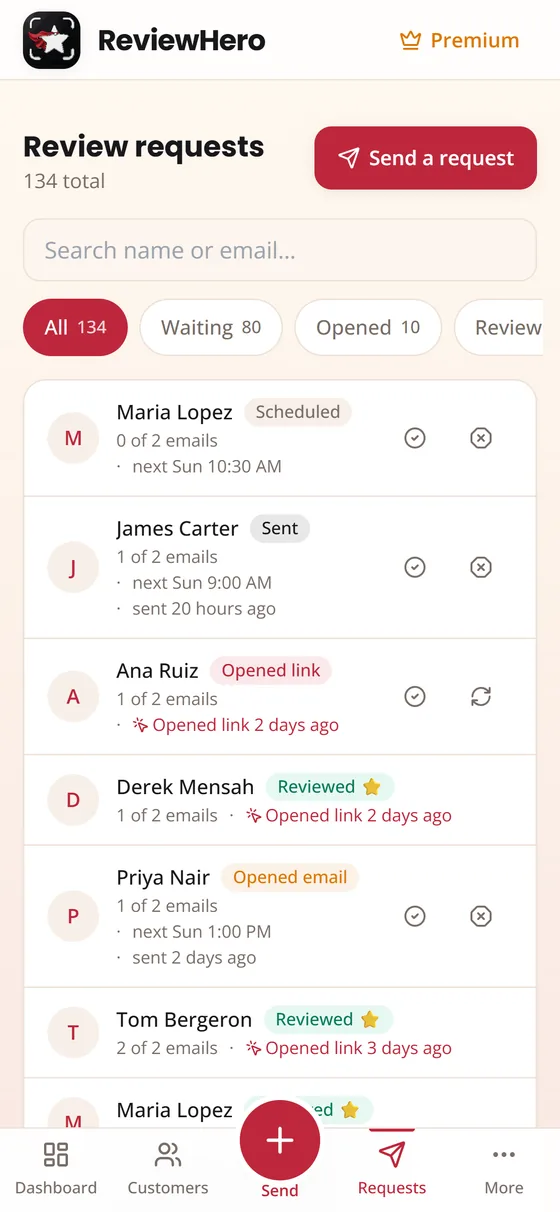 Follow-ups stopped — they clicked
Review gating — showing the public review link only to customers who rate you well — breaks Google’s review policy and the US Federal Trade Commission’s rule on deceptive reviews. ReviewHero cannot do it, by design.
How it works
Live in three steps
No hardware, no setup call, no training your staff to remember. If you can use an app, you can start today.
Find your business
Type your business name. We pull your Google listing and build your review link for you — the real one that opens the write-a-review box, not your general profile.
Add the customer
Type a name and email in about five seconds, snap a photo of a paper invoice or sign-in sheet, or import a CSV. On Premium, customers arrive on their own from Square, QuickBooks or Zapier.
Tap send, then forget it
They get a short, human request with your business name on it. If they don’t open it, one polite reminder goes out later. If they do open it, the reminder never sends.
What you get
A review team that never forgets to ask
Follow-ups that know when to stop
The click on your link is the signal. The second it lands, the sequence ends — so nobody gets a reminder for something they already did.
Snap a photo, skip the typing
Point your camera at a paper invoice, work order or sign-in sheet. ReviewHero reads the names and emails off it and shows you a confirm screen before anything is sent.
See where it breaks down
A plain funnel: asked, sent, clicked, reviewed. You can tell at a glance whether the problem is that you’re not asking, or that they’re not finishing.
Google first, and anywhere else you need
Google is the default. Add Facebook, or paste a write-review link for Trustpilot, TripAdvisor, Zillow, Healthgrades or Avvo and we’ll route and track it.
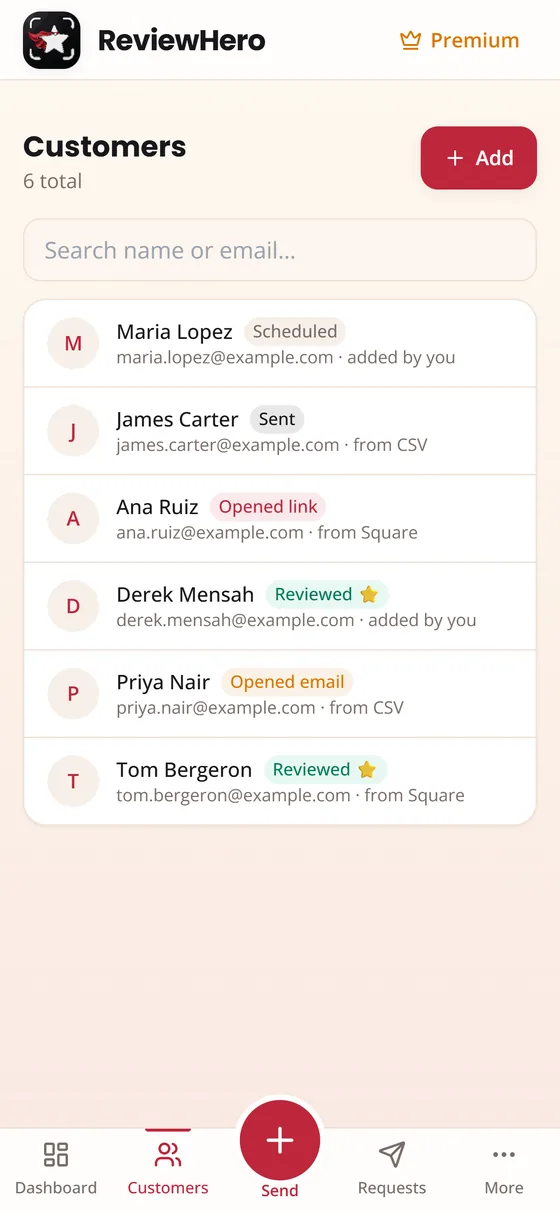
Customers that add themselves
On Premium, connect Square, QuickBooks Online or Zapier. When a job is paid or an invoice is closed, the customer lands in ReviewHero and the ask goes out on your schedule.
Built so you can’t break the rules
Everyone sees the same public link. Private feedback sits beside it, never instead of it. No incentives. Yelp is monitored only, never asked — because Yelp penalizes businesses that ask.
The honest bit
We will never help you hide a bad review
Plenty of tools quietly screen customers first and only show the Google link to the ones who say they’re happy. That is called review gating.
Google’s review policies prohibit it, the FTC’s rule on fake and deceptive reviews makes it a legal risk in the US, and it does not even work — a filtered profile reads as fake to the people you were trying to impress.
ReviewHero sends every customer the same public link. If someone is unhappy, they can tell you privately on the same page — alongside the review option, never in place of it. You hear about the problem, and you keep a profile that looks like real life.
Who it’s for
Any business where the work happens face to face
Pricing
Two plans. Both flat.
One price for the whole business — not per location, not per seat. Month to month, cancel from your phone.
Starter
$19.99 /month
- Quick-add customers in seconds
- Photo capture from paper invoices
- CSV import
- Automatic follow-ups that stop on click
- Google, Facebook and custom review links
- Dashboard funnel and request history
- Share link and printable QR card
Premium
$29.99 /month
- Everything in Starter
- Automatic customer sync from Square
- Automatic sync from QuickBooks Online
- Zapier and generic webhook import
- First access to new premium features
Subscriptions are billed through the App Store or Google Play and can be cancelled there at any time.
FAQ
Straight answers
How does ReviewHero send the request?
By email, from your business name, with a short tracked link that opens the Google write-a-review box. ReviewHero does not send text messages — that is deliberate, so you never have to register with the phone carriers or worry about TCPA rules. If you would rather text someone, the app has a “text it yourself” option that hands the message to your own phone with the tracked link already in it.
What stops a customer being pestered?
The click. Every request carries its own tracked link, so the moment a customer opens it the whole sequence is cancelled — no reminder, no second ask. By default there is one follow-up, and you can turn it off entirely.
Can I only ask the customers I know are happy?
No, and that is deliberate. Screening customers before showing the review link is review gating. It breaks Google’s review policies and, in the US, the FTC’s rule on fake and deceptive reviews. ReviewHero shows every customer the same public link and offers private feedback alongside it.
Do you send Yelp reviews?
Never. Yelp’s guidelines prohibit businesses from asking for reviews, and Yelp actively demotes and publicly flags businesses that do. You can monitor Yelp in the app, but it is permanently excluded from anything we send.
Can I offer a discount for a review?
No. Incentivized reviews are prohibited by Google and are the fastest way to get a profile penalized. ReviewHero has no feature for it.
Is it on Android?
Yes. ReviewHero is on Google Play as well as the App Store, and you can also use the full app in any browser at app.reviewheroapp.com, on a phone or a computer.
What happens to my data if I stop?
You can delete your account from Settings inside the app, which removes your business, customers and request history. Cancelling the subscription is separate and is done on your App Store or Google Play subscriptions page.
More detail in the Help Center.
Start asking properly
Download it free, find your business, and send yourself a test request in the next five minutes.
Prefer a browser? Open the web app.